
Office Blog
How can you Remove Metadata from a Word Document?

Remove metadata from a Word document for maintaining privacy and security, especially when sharing documents publicly. Follow these detailed steps to clean your documents effectively.
Step 1: Open Your Word Document
Command:
- Launch Microsoft Word on your computer.
- Open the document from which you want to remove metadata by clicking
File>Open, and selecting your file.
Step 2: Access the Info Pane
Command:
- Click on
Filein the top-left corner of the screen. - In the left-hand menu, select
Info. This pane will display document properties and metadata.
Step 3: Inspect the Document
Command:
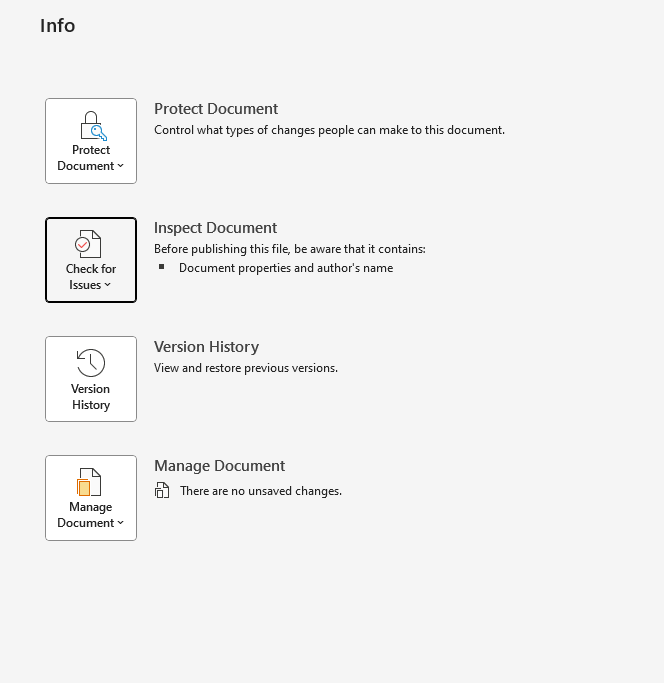
- In the
Infopane, click onCheck for Issues. - From the drop-down menu, select
Inspect Document.
Step 4: Choose Inspection Options
Command:
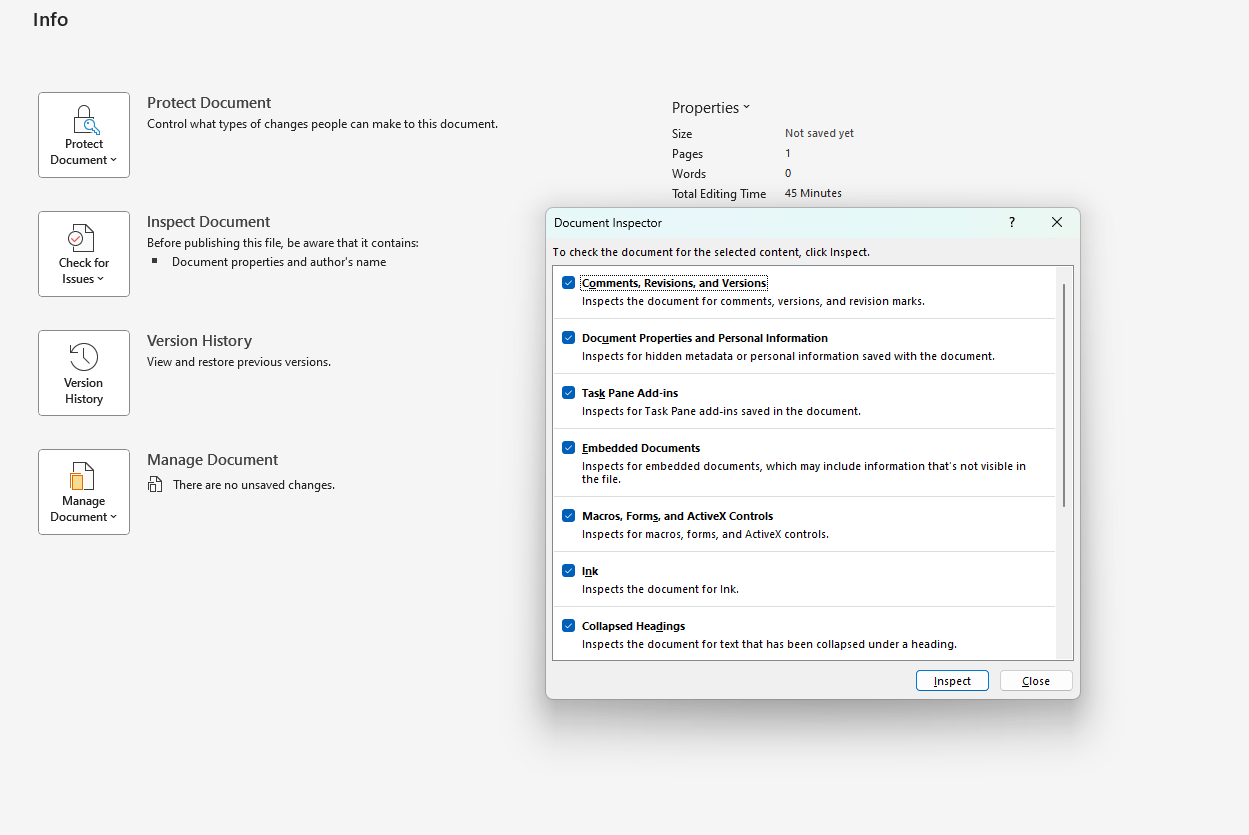
- A Document Inspector window will appear, listing various types of metadata and personal information that can be removed.
- Make sure all the checkboxes are selected to inspect all potential metadata. Click
Inspect.
Step 5: Review Inspection Results
Command:
- Document Inspector will show the results, highlighting metadata types present in your document.
- For each category that contains metadata, click
Remove Allnext to each one to delete the associated information.
Step 6: Reinspect to Confirm
Command:
- It’s good practice to re-inspect the document to ensure all metadata has been removed.
- Click on
Reinspectin the Document Inspector window to run the check again.
Step 7: Save the Cleaned Document
Command:
- After verifying that all unwanted metadata has been removed, close the Document Inspector window.
- Click
File>Save Asto save a new version of your document—preferably with a new name to differentiate from the original. Choose your save location and clickSave.
Step 8: Additional Security: Convert to PDF
Command:
- For added security and to further prevent the extraction of metadata, convert your Word document to a PDF.
- Click
File>Save As, and choosePDFfrom the Save as type dropdown menu. ClickSave.
Unlock the full potential of your productivity suite by purchasing genuine Microsoft Office keys directly from our website at competitive prices.
